

Why Choose Us
15+ years of experience
Years of high attention to good quality products, more than 15 years of practical technique, canonical management.
Innovation
We focus on developing and create more perfect item as per customers' needs, and improve manufacture technique, product variety.
Solution
We help clients solved problems that different surfaces hard to sticked on the object, at the same time suggest suitable material according to different climate, sticked object, using environment.
Professional service
We will help customers get what they need and ensure production safety and stable quality. Please feel free to contact us.
Self-adhesive inkjet printer media refers to a specialized type of printing paper or film that comes with an adhesive backing. This media is designed specifically for use in inkjet printers, allowing users to print directly onto the material, which can then be easily applied to various surfaces. The adhesive layer makes this type of media particularly useful for creating labels, stickers, decals, and signage that adhere to a range of materials including glass, metal, plastic, and paper.
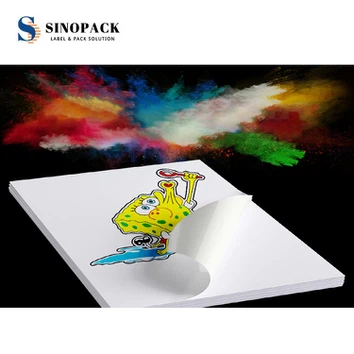


Key Aspects Of Self Adhesive Inkjet Printer Media
Compatibility: This type of photo paper is designed to work specifically with inkjet printers. It is important to ensure that the paper you choose is compatible with your Self Adhesive Inkjet Printer Media model. Check the packaging or product information to confirm compatibility.
Printable Surface: The printable side of the self-adhesive photo paper is coated to ensure proper ink absorption, vibrant colors, and sharp image quality. The coating helps to prevent ink smearing or bleeding, resulting in high-quality prints.
Adhesive Backing: The adhesive side of the paper is covered with a protective backing or liner. This backing keeps the adhesive layer intact until you are ready to use the printed stickers or labels. Once the backing is removed, the adhesive is exposed, allowing you to stick the printed paper onto different surfaces.
Paper Types: Self-adhesive photo paper for inkjet printers comes in various types and finishes, such as glossy, matte, or satin. Each type offers different characteristics in terms of appearance, durability, and print quality. Choose the paper type that suits your desired result.
Print Settings: Adjust your inkjet printer settings according to the recommended settings for the specific self-adhesive photo paper you are using. This may include selecting the appropriate paper type, print quality, and color settings to achieve optimal results.
Application and Surfaces: Once you have printed your designs or photos onto the self-adhesive paper, you can cut them into desired shapes or sizes and then peel off the protective backing. The adhesive side can be applied to various surfaces such as paper, cardboard, glass, plastic, or metal. It is advisable to test a small area before applying the stickers or labels to larger or more delicate surfaces.
Select the appropriate Self Adhesive Inkjet Printer Media: Choose a self-adhesive photo paper that is compatible with your inkjet printer. Check the packaging or product specifications for compatibility information.
Prepare your design or photo: Use image editing software or a word processing program to create or select the design or photo you want to print. Adjust the size, resolution, and other settings as needed.
Set up your printer: Make sure your inkjet printer is turned on and connected to your computer. Check the printer’s manual for any specific instructions related to printing on adhesive-backed paper.
Load the self-adhesive photo paper
Open the paper tray or rear feed of your printer, depending on its design. Adjust the paper guides to match the width of your self-adhesive paper. Place the paper in the tray with the printable side facing up. Make sure the paper is aligned properly.
Adjust printer settings
Open the print settings on your computer. Select the appropriate printer, paper type, print quality, and other settings based on the recommendations provided by the manufacturer of the self-adhesive photo paper. It’s important to choose the correct paper type to ensure optimal print results.
Print a test page
Before printing your final design or photo, it’s a good idea to print a test page on a regular sheet of paper. This allows you to check the layout, colors, and other aspects of your print before using the self-adhesive paper.
Print your design or photo
Once you’re satisfied with the test print, proceed to print on the self-adhesive photo paper. Click the Print button in your software or word processor, and the printer will start printing your design or photo onto the adhesive side of the paper.
Allow the print to dry
After printing, allow the ink to dry completely before handling the self-adhesive paper. This ensures that the ink doesn’t smudge or smear while applying or cutting the stickers or labels.
Cut and apply the stickers or labels
Once the prints are dry, use scissors, a craft knife, or a cutting machine to cut out the desired shapes or sizes. Peel off the protective backing from the adhesive side and carefully apply the stickers or labels to the desired surfaces, ensuring proper alignment and smooth adhesion.
Advantages Of Self Adhesive Inkjet Printer Media
High efficiency
The Self Adhesive Inkjet Printer Media has the advantage of helping to achieve on-demand printing of primary and secondary labels and to eliminate preprint labels for reducing label inventory.
Accuracy
Self Adhesive Inkjet Printer Media can help to improve readability within labels and reduce human error. Color can be used to emphasize important information and warning messages.

Flexible
Color label customization can also be realized for small batch and multi-variety applications. It Reacts faster to the market or make design changes without additional cost. It also solves the problem of high MOQ and expensive opening of printing labels.
Brand
Users can highlight the brand identity at all stages of the supply chain and enhance shelf appeal and brand image through high quality color labels.
Two Main Printing Media for Self Adhesive Inkjet Printer Media
Paper printing media: tearable
Hi-glossy photo paper: 115gsm, 135gsm, 150gsm, 180gsm, 200gsm. 230gsm, 260gsm, 120gsm double sides, 140gsm double sides, 160gsm double sides, 180gsm double sides, 200gsm double sides, 240gsm double sides, 260gsm double sides, 280gsm double sides, 300gsm double sides. Choice can be made between adhesive and liner and no adhesive and liner.
Matte photo paper: 108gsm, 128gsm, 120gsm double sides, 140gsm double sides, 230gsm double sides, 250gsm double sides. Here also it’s possible to choose those with adhesive and liner or without adhesive and liner.
RC photo paper: 260gsm regularly. It normally includes silk RC, frosted RC and velvet RC.
Magnetic hi-glossy photo paper: 280mic, it’s usually laminated with 115gsm high glossy photo paper and magnetic materials.
Film printing media: tear resistant
PP self-adhesive sticker: Normally there are glossy white and matte white colors. PP sticker is much softer and suitable for round and curved surface. It’s mainly applied to cosmetics, toiletries, automotive lubricants and household chemicals requiring durability and resistance to moisture and chemicals with visual match to matt finished containers.
PET self-adhesive sticker: There are glossy white and transparent color. PET sticker is rigid, and suitable for flat and smooth surface. it can for example be used in warning and tracking labels of auto parts, electronic equipment and household appliances.
Durability And Resistance To Wear And Tear of Self Adhesive Inkjet Printer Media
Benefits of something which is durable:
One good thing about this product which is durable so that it lasts longer. This implies you will not need to keep replacing it normally while you would with a less product which is durable. An additional benefit is the fact that something which is help the durable spend less. rightint durable white film labels be much more expensive upfront, you'll not need to replace it as often, which may actually help save you cash in the run that is long.
Innovation in Durability:
There are many ways being innovative make a product more durable. A proven way is to make use of stronger materials. For example, an item made of steel will probably be stronger than a product created from synthetic. Another way to make a item more durable is to utilize coatings that are special remedies. These coatings could make the item resistant to scratches, dings, or other styles of damage.
Safety of something which is durable:
A durable product can also be safer than a less product which is durable. For instance, metal label could break down and cause injury if you are using a charged saw that's not very durable. However, if you work with a charged power this is certainly durable, it's less likely to want to digest and cause harm.
Using a Durable Product:
However, you may want to take some precautions which are extra make certain that you can that it lasts as long. For example, in the event that you're using a power this is certainly durable, you really need to make yes to adhere to all safety precautions and maintenance guidelines to help keep it in top condition.
An inkjet printer’s print head contains a massive number of small holes. These tiny holes spray microscopic ink droplets onto the printer’s paper at breakneck speed.
Inkjet printers use a liquid ink that is either created by a colored dye or a liquid that has suspended solid pigments. The paper travels through the machine perpendicular to the print head as it moves horizontally. A little drop of ink is forced out onto the page as the print head’s individual holes are triggered as the page passes through. The ink is sprayed through a small hole drop by drop at a high speed (about 5000 times/second) creating ink spots small enough to show sharp sticker prints.
The digital text or image that is being transferred onto the media is recreated throughout this procedure at rapid speed using thousands of droplets that come together. Because of how little the dots are, the whole image appears solid to the unaided eye.

1. Create a design – Your design could consist of images, text and of course a combination of the two . You can create a design using a special dedicated software or a normal word processor.
2. Adjust the printer’s setting – Use the highest resolution setting to achieve a high quality, photographic or graphic images.
3. Print a test page – To ensure the design is well aligned. Print a test page using normal paper.
4. Place the sticker paper – Feed the sticker paper into the tray and print your design.
5. Cut the paper – Using good quality scissors cut the paper to size and trim away and unwanted background or margins.
Suggested Applications – Clear Finish Sticker Paper:
Shop window stickers – The clear sticker paper could be glued inside a window making it very popular for shop windows. Remember to print it in a mirror image if you need it to be seen from the outside.
Images that need to be placed on an existing background such as book covers, machine panels, signs.
Suggested Applications – Matt Finish Sticker Paper:
Car bumper stickers – The matt sticker paper is useful for creating outstanding car stickers as couple of images could be printed on one A4 sheet. Once printed simply cut the paper to size using scissors.
Enhancing model planes, trains and automobiles – Suitable for gluing on plastic, the matt finish paper is ideal for giving models that near real look.
Mock up designs for bottles and packaging – Try out different versions on the actual product. The Sticker is thin enough to be adhered on profiled surfaces and can be used to demonstrate design mock ups on bottles, toys, packaging etc.
Suggested Applications – Glossy Finish Sticker Paper:
Laptop or mobile phones cover skin – The glossy sticker paper could be cut to size to fit a laptop/mobile phone external cover giving you the ability to put some life and personalize what is otherwise a boring laptop or mobile phone exterior.
Decorate book cover and albums – Fantastic to enhance a personal gift, the glossy sticker paper is suitable for gluing on a family album.
Kitchen and bathroom tile decoration – Ideal for fabulous tile decoration. We recommend covering the sticker using water based lacquer to make sure that dirt does not stick to it.
Wall decoration – Printing small images which are cut precisely around the image to take any white none printed edges off and sticking it on the wall for funky look or children deco.
Our Factory
Sinopack Industry is one global, professional corporate which focused on the development and manufacture of premium quality&sustainable self adhesive materials for the graphics arts printing industry, serving several segments such as Flexography, Lithography, Screen and Digital printing, with a large portfolio of label materials used in the identification of products for various sectors: food, beverages, personal care, logistical , pharmaceutical, clothing ,electronics, Auto,safety, cosmetics, and cleaning.
FAQ
We're professional self adhesive inkjet printer media manufacturers and suppliers in China. If you're going to buy high quality self adhesive inkjet printer media at low price, welcome to get free sample from our factory. Also, customized service is available.
inkjet silver polypropylene label material, inkjet transparent pp label material, inkjet self adhesive transparent polyester